

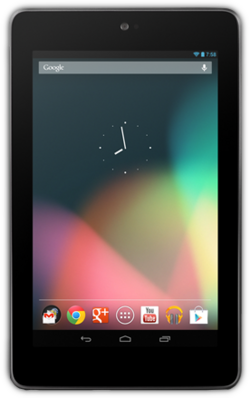
Most people carry a powerful productivity tool in their pocket all day, yet many use it mainly for messages, social updates, and quick searches. With a little planning, an Android phone or tablet can become a calm and reliable workspace for notes, tasks, reading, planning, and communication. The goal is not to install dozens of apps or to chase every new feature. It is to build a small set of habits and tools that reduce friction, keep important information easy to find, and help you finish meaningful work without constant distraction. Resources such as oficial droid can be a useful starting point for general guidance about Android apps, tools, and everyday tips.
Start With a Simple System, Not More Apps
Productivity improves when your system is easy to remember. Before adding anything new, decide where each type of information will live. Notes can live in one place, tasks in another, and files in a third. When everything has a home, you spend less time searching and less time wondering whether you already saved something. A simple system also makes it easier to keep going on busy days, because you do not have to rebuild your workflow from scratch each morning. Choose tools that feel comfortable, load quickly, and work well on the device you already own. If an app feels complicated, you are less likely to open it when you need it most.
Pick One Place for Tasks
A task list works best when it is short, visible, and reviewed often. Start each day by choosing no more than three important tasks, and write them down before checking messages or news. Smaller tasks, such as replying to a message or filing a document, can be grouped together and handled in a short block later in the day. This approach prevents a long list from becoming a source of stress. It also gives you a clear sense of progress, because finishing three important tasks feels much better than starting ten tasks and finishing none. Review the list in the evening, move unfinished items forward deliberately, and remove anything that is no longer needed.
Use Notes to Capture Ideas Quickly
Good ideas often arrive at inconvenient moments, while you are walking, waiting, or talking with someone. A quick note app lets you capture the idea in a few seconds and return to it later. Keep notes short at first, using a title and a few lines that will remind you of the full thought. Later, when you have time, you can expand the note, add steps, or turn it into a task. Organise notes with simple labels or folders, such as work, home, learning, and ideas. Avoid creating too many categories, because a complicated structure can be just as hard to search as no structure at all. Regularly review older notes and delete or archive anything that is outdated.
Build Focused Workflows for Your Phone
A workflow is simply a repeatable sequence of steps that helps you complete a common task. For example, a morning workflow might include checking your calendar, reviewing your three main tasks, and reading one short article related to your work. An evening workflow might include clearing notifications, backing up important files, and preparing tomorrow’s list. When these steps become routine, they take less mental effort and leave more energy for creative or difficult work. Keep workflows short and realistic. A workflow with twenty steps will not survive a busy week, but a workflow with three or four steps often will.
Reduce Distractions Without Losing Connection
Notifications are helpful when they alert you to something urgent, but they can also break concentration many times a day. Take a few minutes to review which apps are allowed to interrupt you, and silence the rest during focused work. You can still check messages and updates at set times, rather than reacting to every alert as it arrives. Many people find that two or three planned check-in times are enough to stay responsive without feeling constantly pulled away. Keeping your home screen tidy also helps, because a screen full of colourful icons can invite tapping and browsing when you meant to do one specific task.
Make Reading, Learning, and Planning Easier
A phone can be a good tool for learning in small moments, such as during a commute or while waiting for an appointment. Save longer articles to read later, keep a short list of topics you want to learn, and take brief notes on anything useful. Short, regular learning sessions are often more effective than occasional long sessions, because they help you remember ideas over time. Planning works in a similar way. A weekly planning session, even if it lasts only fifteen minutes, can make the whole week feel more manageable. Look at your calendar, note deadlines, and decide which days will be used for focused work, errands, and rest.
Keep Files Organised and Easy to Find
Use clear file names that include the topic and the date, and keep related files together in folders. Delete duplicates when you notice them, and move completed projects to an archive folder so your main folders stay clean. If your device offers backup or sync, use it for important documents, but check occasionally that your files are actually being saved correctly.
Review, Adjust, and Keep It Sustainable
No productivity system stays perfect forever, because work, family life, and interests change over time. Once a month, ask yourself what is working and what is not. Are you finishing your main tasks, or are you spending too much time organising tools instead of doing work? Is your phone helping you focus, or is it mainly a source of distraction? Small adjustments are usually better than a complete overhaul. Change one habit at a time, give it a week or two, and keep the changes that genuinely help. With patience and a simple routine, your Android device can support steady progress day after day. For more general Android guidance, guides, and tips, you can also visit oficialdroid.com.